The planner
The planner keeps each room within a target you choose, such as "every 2 days", instead of cleaning at fixed times. It cleans the rooms that are due when the house allows it: nobody home, inside your time window, outside Do Not Disturb, enough battery, and not in rooms that are in use. It lives on the Planner tab of the sidebar page.
Starts off, in preview mode
The planner arrives switched off and in preview mode, so nothing moves until you say so. It was verified on an RV30 Max Plus in preview against a real house. The "finish the room and dock when someone comes home" step has not been tested on a robot yet; please report how it behaves.
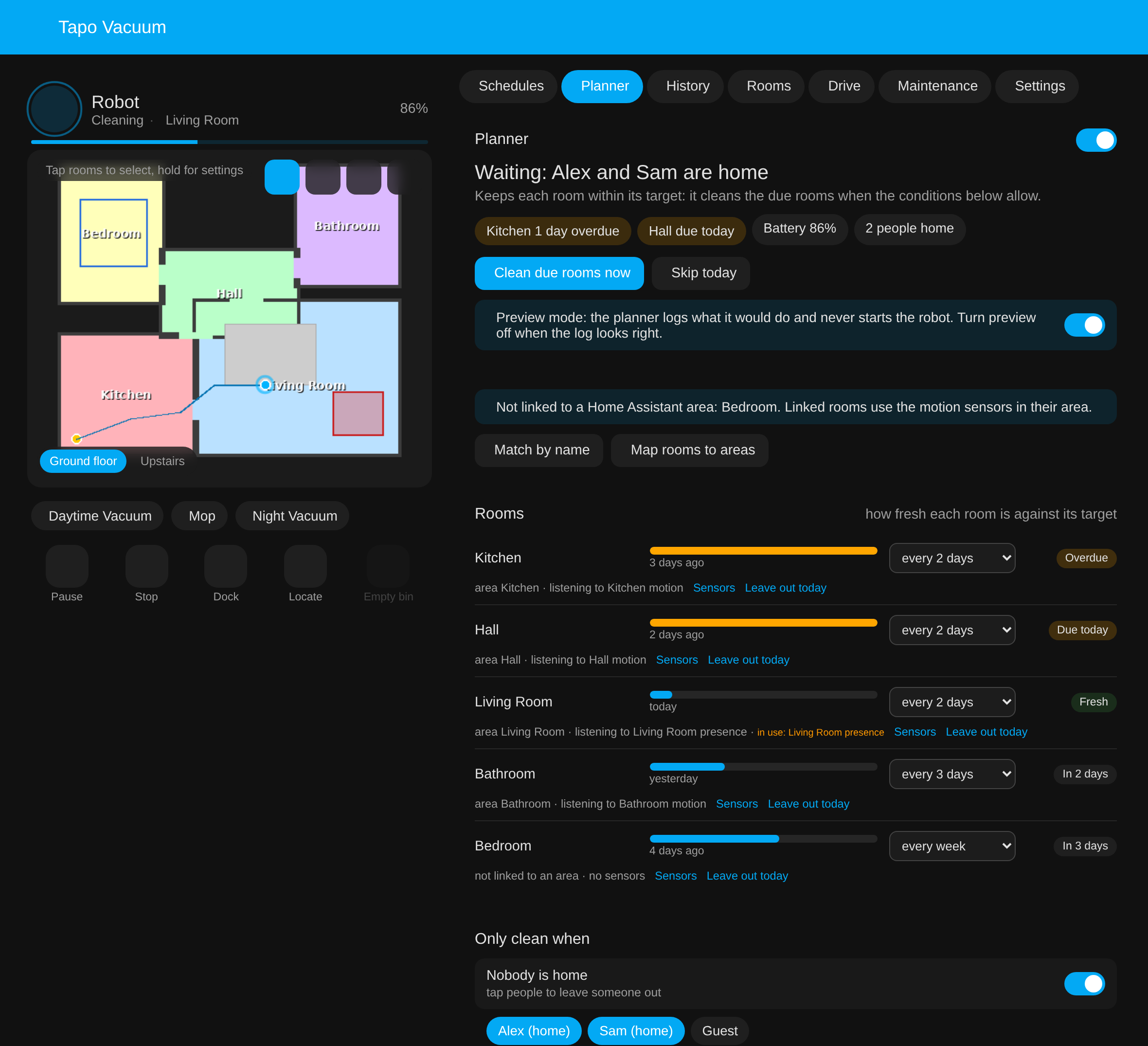
Mock-up with a made-up house and made-up people.
Turning it on safely
- Open the Planner tab and turn the planner on. It starts in preview mode: it works out what it would clean and logs it under Recent decisions, but never starts the robot.
- Set a target per room, check which sensors each room listens to, and pick who counts as "home".
- Watch the log for a day or two. When it reads right, turn preview off. From then on it starts the robot itself.
Clean due rooms now runs the due rooms straight away whatever the conditions (the robot still has to be docked), and Skip today pauses the planner until tomorrow.
Rooms
Every room on the robot's current map gets a row:
- Freshness: how long ago the room was cleaned against its target. The time comes from the robot's own run maps, the same per-room "last cleaned" the card shows.
- Target: every day, every 2, 3, 4 or 5 days, every week, every 2 weeks, or leave out. A room is due once it has gone its target without a clean; the most overdue go first.
- Status: Overdue, Due today, Fresh, or when it is next due.
- Leave out today: skips one room until tomorrow without changing its target.
Rooms and Home Assistant areas
The planner uses the vacuum's own map rooms to areas setting, the one
vacuum.clean_area uses, so nothing is mapped twice. Rooms that are not linked yet are listed
on the tab with two buttons: Match by name links every room whose name matches an area
(Kitchen to Kitchen), and Map rooms to areas opens the vacuum's settings to link the
rest by hand.
Rooms and areas do not have to line up one to one. An open-plan area can hold several robot rooms, and a robot room can belong to several areas; the room then listens to the sensors of all of them.
Sensors
A room listens to the motion, occupancy and presence sensors in its areas, picked for you. Sensors on a room opens a list of every such sensor in Home Assistant: tap one to add it from elsewhere, or tap a picked one to drop it, for example a motion sensor the pets set off. Ignore motion for this room turns occupancy off for that room altogether.
A room counts as in use while a sensor is on and for a while after it turns off (10 minutes by default; motion sensors blink). A due room that is in use is left out of the run and stays due; if every due room is in use, the planner waits. Sensors are checked before a run starts, so the robot setting off motion sensors as it cleans does not stop it.
Only clean when
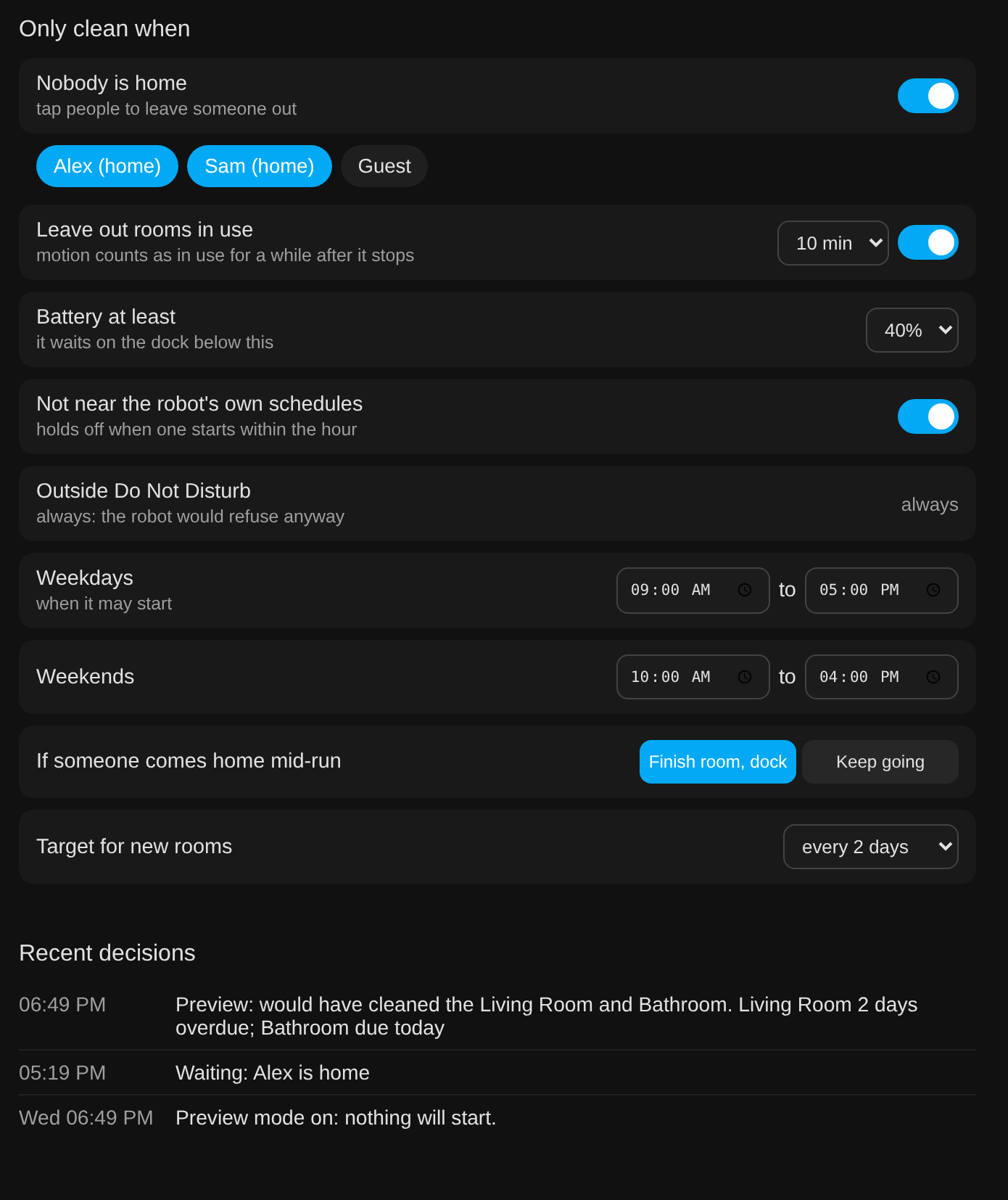
| Condition | Default | What it does |
|---|---|---|
| Nobody is home | on, everyone | Waits while any chosen person is home. Tap people to leave someone out, a guest or a phone with unreliable tracking. |
| Leave out rooms in use | on, 10 min | As above. |
| Battery at least | 40% | Waits on the dock until the battery reaches this. |
| Not near the robot's own schedules | on | Holds off when one of the robot's schedules starts within the hour. |
| Outside Do Not Disturb | always | The robot refuses to clean in Do Not Disturb anyway. |
| Weekdays, weekends | 09:00 to 17:00, 10:00 to 16:00 | When a run may start. One planner run per day. |
| If someone comes home mid-run | finish room, dock | Finishes the room it is in, then sends the robot home (untested on a robot so far). Keep going lets it carry on. |
| Target for new rooms | every 2 days | Used for rooms you have not set yourself, including new rooms after a remap. |
Entities and events
switch.<name>_planner: the planner on or off, for automations and dashboards.sensor.<name>_planner_status: what it is doing or waiting for, in one line ("Waiting: Alex is home"), with the due rooms and the reasons as attributes.- Event
tapo_rv30_planner: fired when the planner starts a run (kind: start) or, in preview, when it would have (kind: preview), with the rooms.
Everything else, the targets, sensors, people and windows, is set on the tab and stored with the integration.