The card and dashboards
The map card is bundled with the integration: add a card, pick Tapo Vacuum, done. For a whole dashboard in one step, use the strategy.
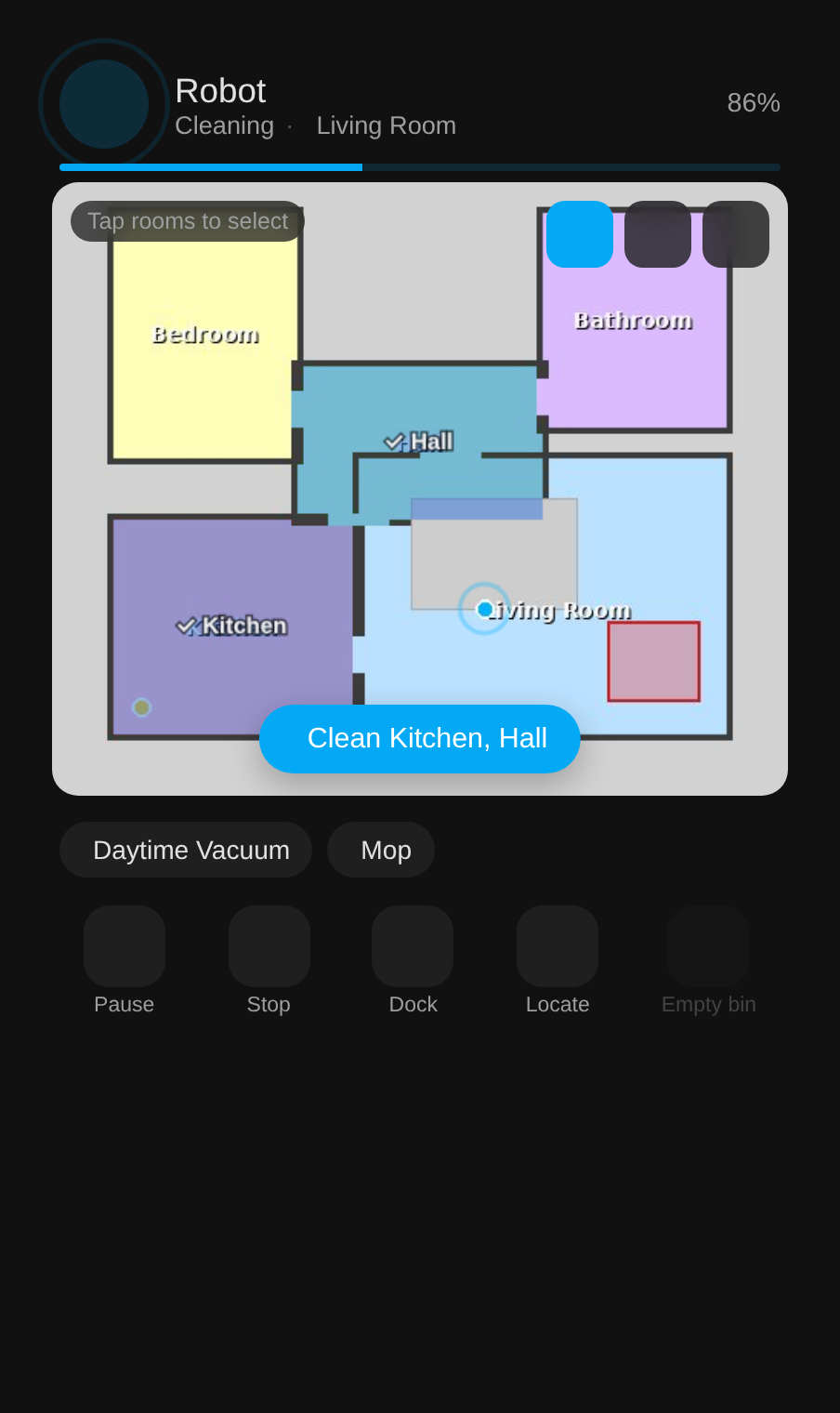
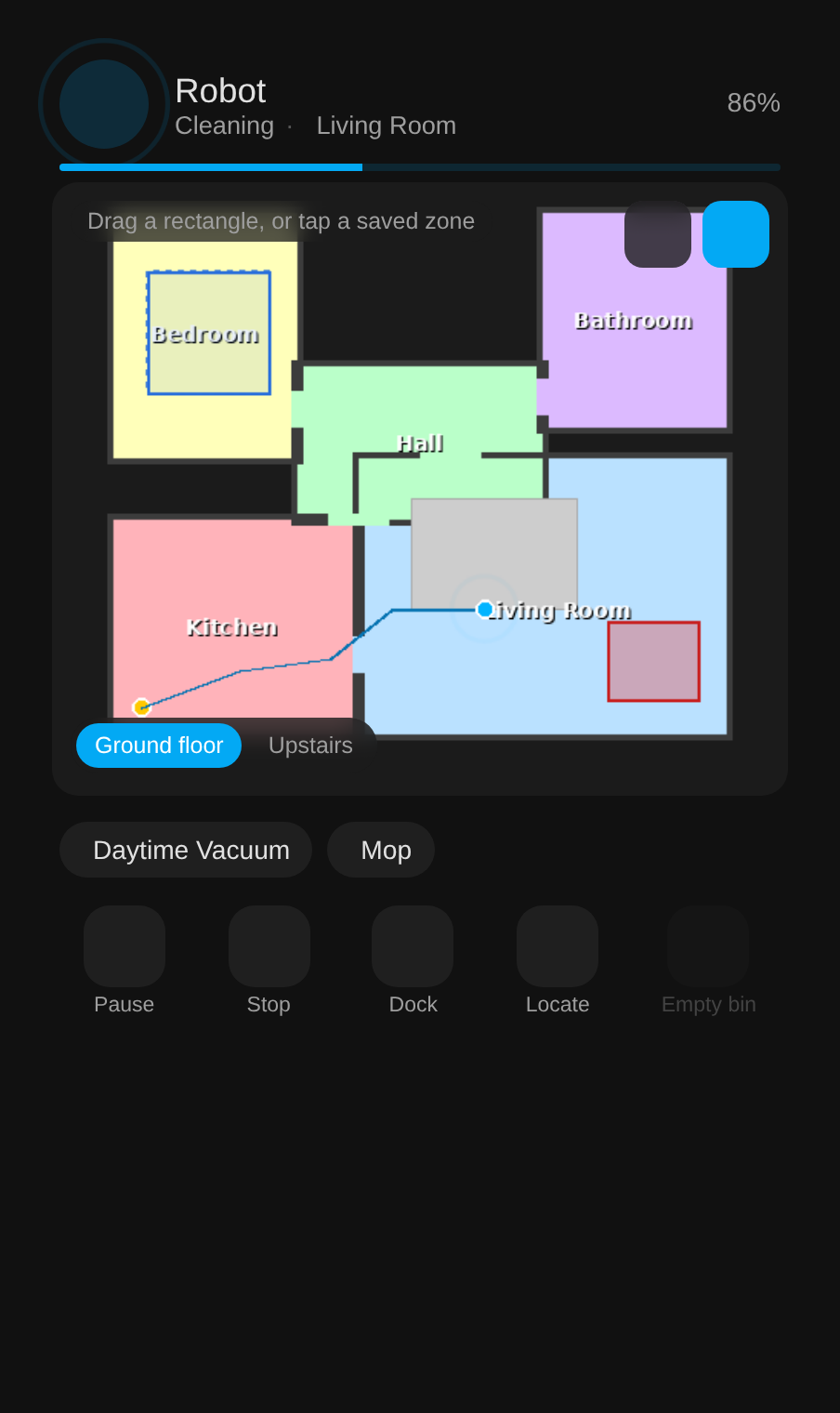
Mock-ups with a made-up house, rendered through the integration's own map code.
Adding the card
Pick Tapo Vacuum in the card picker, or in YAML:
type: custom:tapo-rv30-card
entity: vacuum.robot
| Option | Default | What it does |
|---|---|---|
entity |
The Tapo vacuum (required) | |
name |
the entity's name | Title at the top of the card |
show_presets |
true |
The row of Tapo-app presets under the map |
show_controls |
true |
Start, pause, stop, dock, locate and empty bin |
rotate |
0 |
0, 90, 180 or 270, for maps the robot scanned sideways |
All of these are in the card's visual editor too.
Using the map
The buttons at the top right of the map switch what a tap does.
- Rooms: tap rooms to select them, then press Clean. Hold a room to see when it was last cleaned and how much of it the robot covered, and to clean it with chosen suction, water and passes.
- Zone: drag a rectangle to clean it, or tap one of the saved zones from the Tapo app.
- Go to: tap a point and press Go; the robot drives there. Hidden on robots without go-to-point.
- Status: the last clean map, the recent runs and consumable life.
- Floors: with several maps, chips at the bottom switch floors.
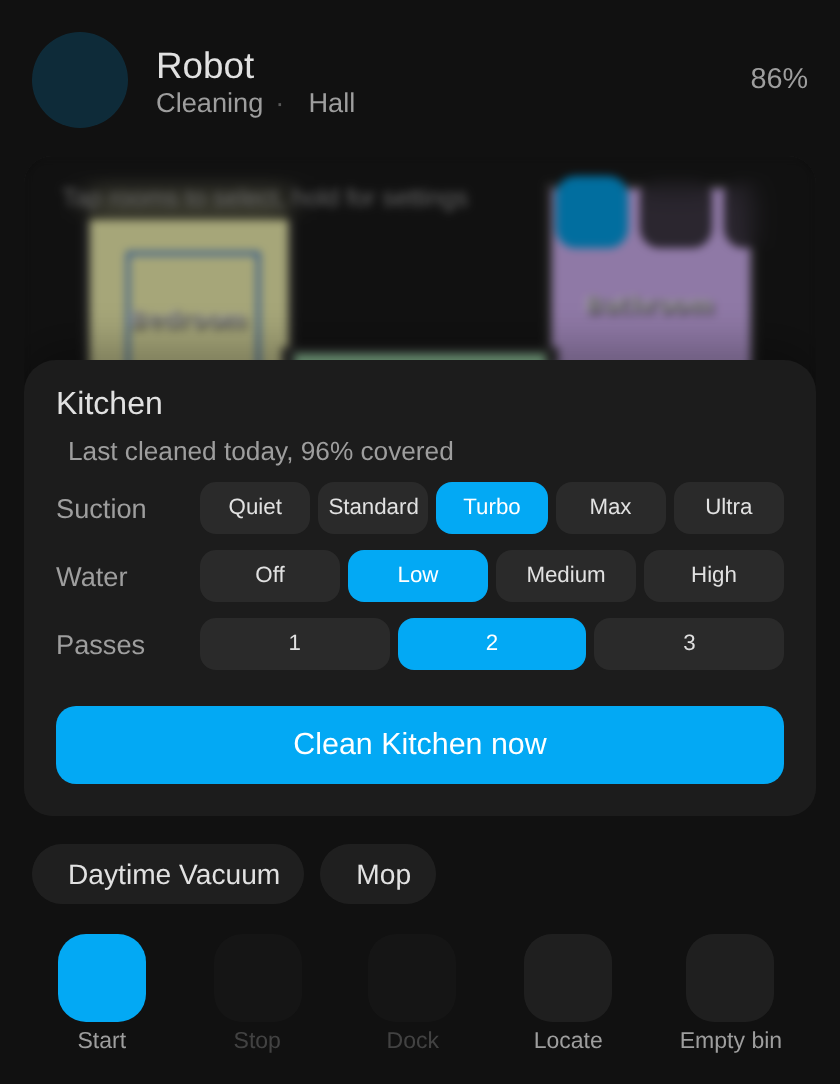
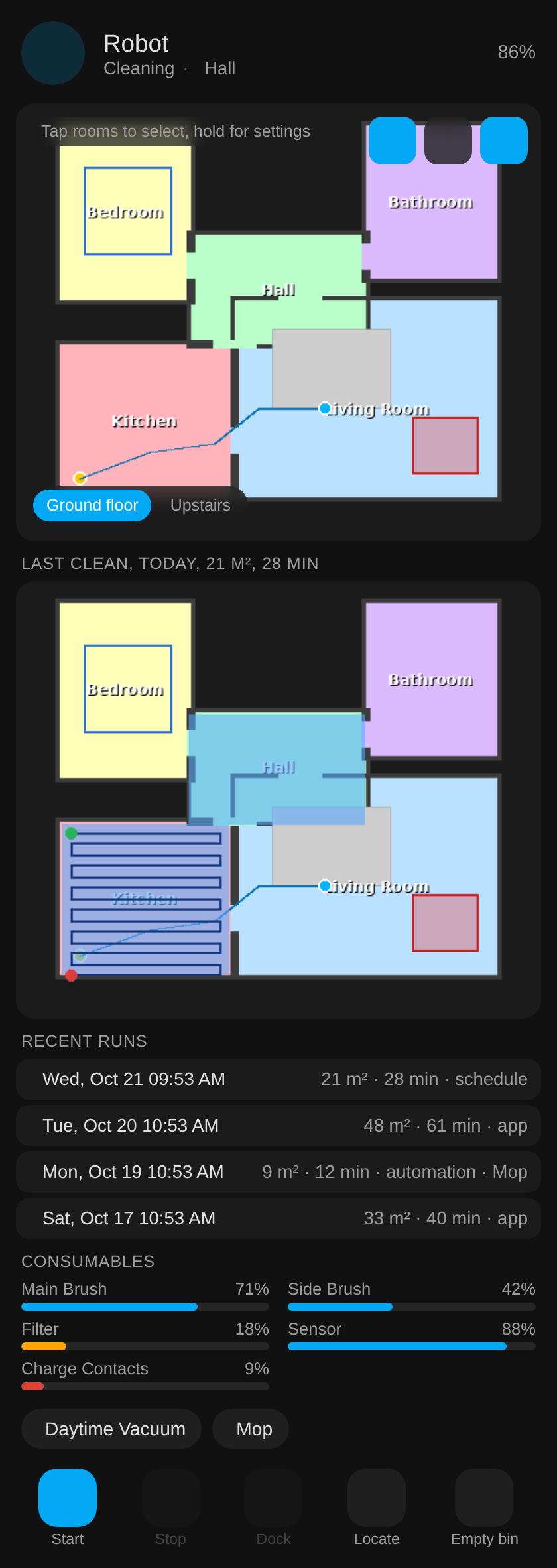
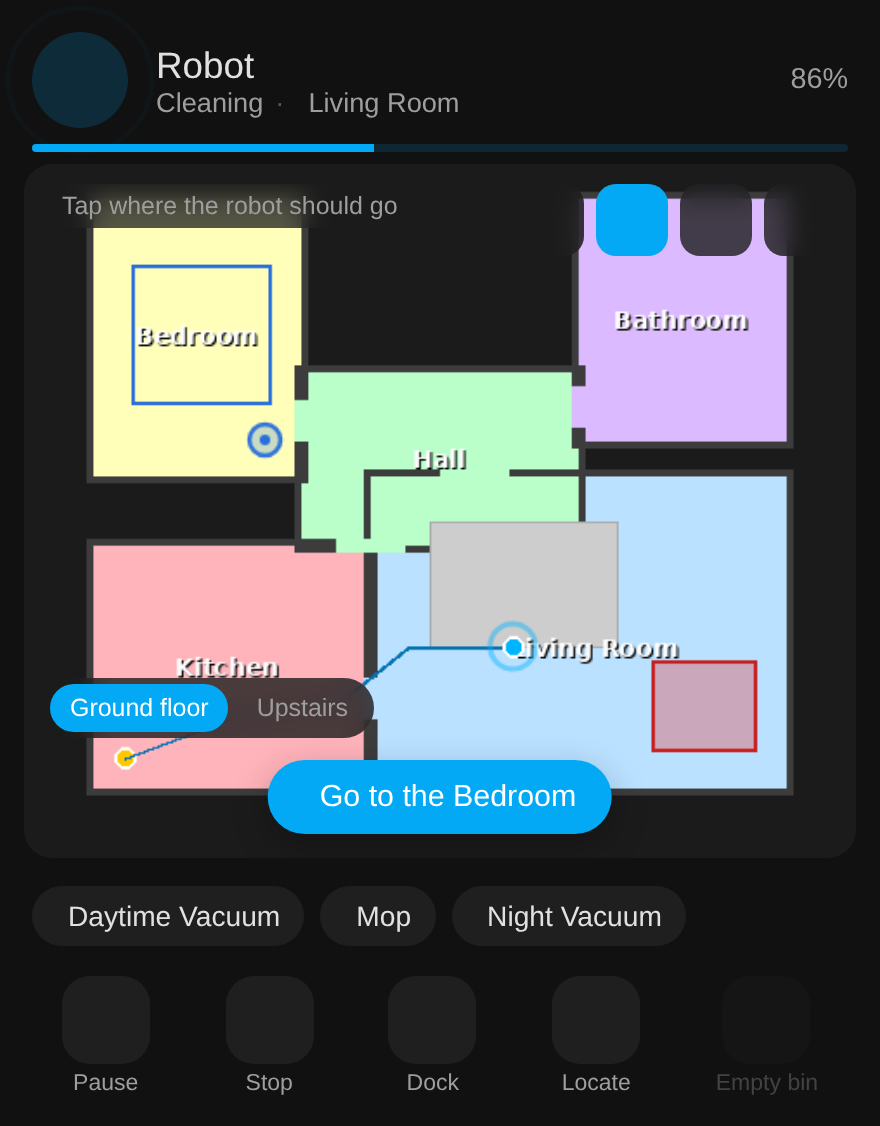
Room sheet, status panel and go-to tool (mock-ups).
Whole dashboard in one line
Create a dashboard (Settings, Dashboards, Add dashboard, New dashboard from scratch), open its raw configuration editor and replace the contents with:
strategy:
  type: custom:tapo-rv30
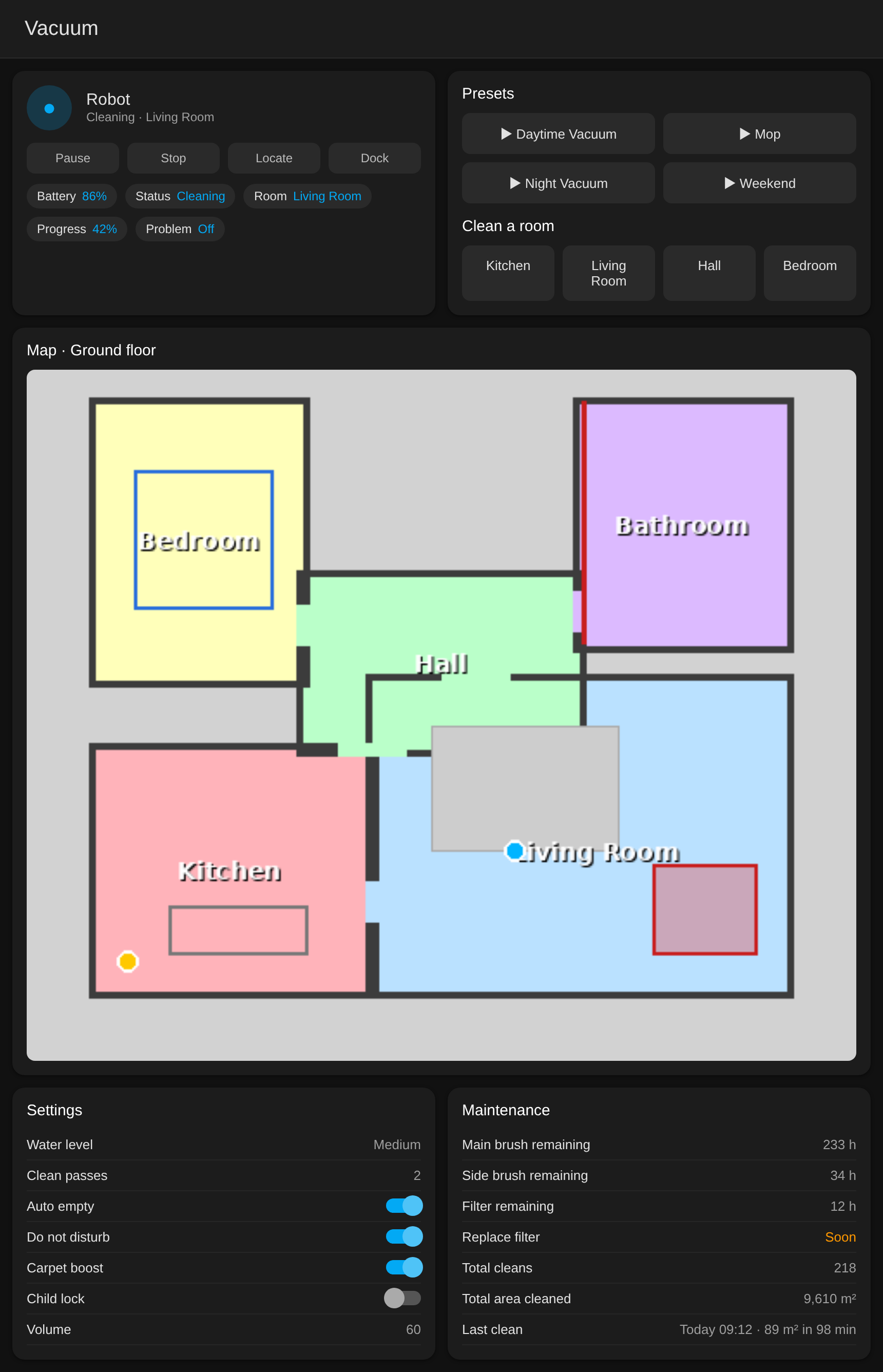
It builds a view per robot: the card, one-tap room buttons, presets, the last clean map, status, maintenance, settings, schedules and totals, all from the entities the integration created, so it follows renames and models. A floor switcher appears when the robot has several maps, and the header shows status, current room, battery and progress, with a banner when the robot reports a problem.
Hand-built dashboard
examples/dashboard.yaml
is a ready-made view with controls, status chips, the live map, presets, one-tap rooms,
settings and maintenance. Its chip rows use Mushroom.
Other map cards
The Xiaomi Vacuum Map Card works with the map camera; the calibration points are in services and events.